How to Check If a TikTok Video Is Real
Not every TikTok video shows what it claims to show. Learn how to check whether a TikTok video is real by verifying its source, date, location, context, footage, and supporting evidence before believing or sharing it.
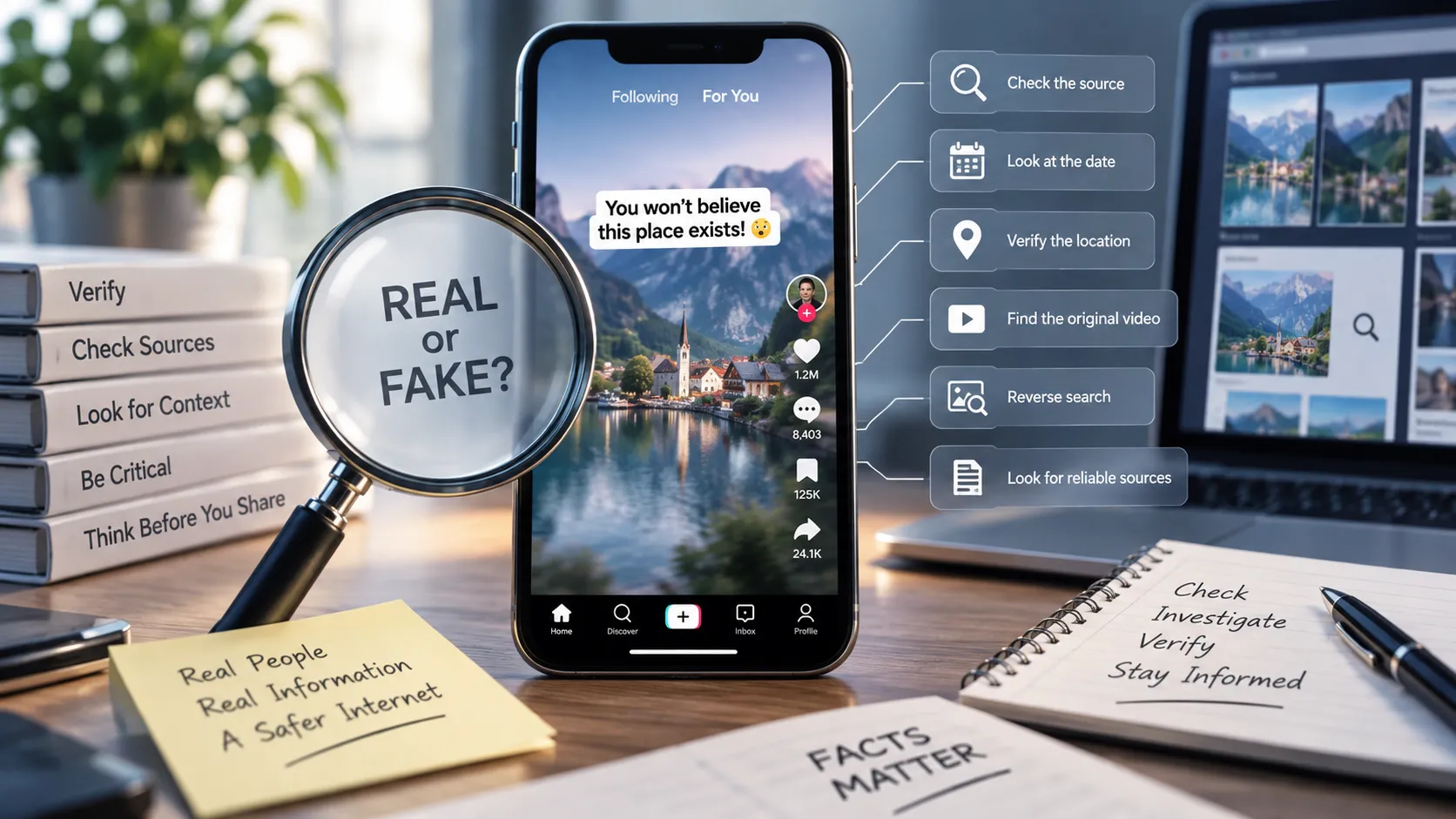
How to Check If a TikTok Video Is Real
TikTok can help information spread around the world within minutes. A dramatic event, surprising discovery, breaking-news clip, or unbelievable claim can reach millions of people before anyone has had time to verify it.
The problem is that a video looking real does not necessarily mean the claim attached to it is true.
A TikTok video may contain genuine footage but use a false caption. An old video may be presented as a recent event. A real interview may be edited to remove important context. In other cases, the footage itself may have been digitally manipulated or generated using AI.
So how can you tell if a TikTok video is real?
You do not need to be a professional fact-checker. A few simple verification steps can help you determine whether a video is authentic, misleading, manipulated, or simply unverified.
What Does "Real" Actually Mean?
Before checking a TikTok video, it helps to understand that there are several different questions you might need to answer.
A video can be:
- Authentic footage: The video itself is genuine.
- Misleading: The footage is real, but the caption or explanation is false.
- Out of context: The video is genuine but comes from a different event, location, or time.
- Edited: The footage has been cut or rearranged in a way that changes its meaning.
- Manipulated: Visuals or audio have been digitally altered.
- AI-generated: The media was created or significantly altered using generative AI.
- Unverified: There is not enough reliable evidence to determine what happened.
This distinction matters.
For example, a TikTok could show genuine footage of a protest from 2022 while claiming that the footage was recorded during a protest happening today. The video is real, but the claim about it is false.
Step 1: Identify Exactly What the Video Claims
Start by ignoring the music, editing, comments, and emotional presentation.
Ask:
What specific factual claim is this video making?
For example:
"This video shows a massive earthquake that happened in Japan today."
There are several things to verify:
- Did an earthquake happen?
- Did it happen in Japan?
- Did it happen today?
- Is this footage actually from that earthquake?
- Is the scale of the event being accurately described?
Breaking a viral claim into smaller questions makes verification much easier.
Watch for Multiple Claims
A single TikTok can contain several claims.
For example:
"Scientists discovered a new planet, and experts say it could support human life."
The first part and second part require separate verification.
Do not assume that because one part of a video is correct, everything else is correct too.
Step 2: Check Who Posted the Video
Look at the TikTok account that originally posted the video.
Ask:
- Is this the original creator?
- Does the account identify where the footage came from?
- Does it regularly post reliable information?
- Does it provide sources?
- Is the account known for satire or entertainment?
- Is the video being reposted by an account with no connection to the event?
The identity and history of the uploader can provide useful context, but they are not proof.
A large following does not guarantee accuracy.
Likewise, an account with very few followers can still publish completely accurate information.
Always investigate the claim itself.
Step 3: Look for the Original Video
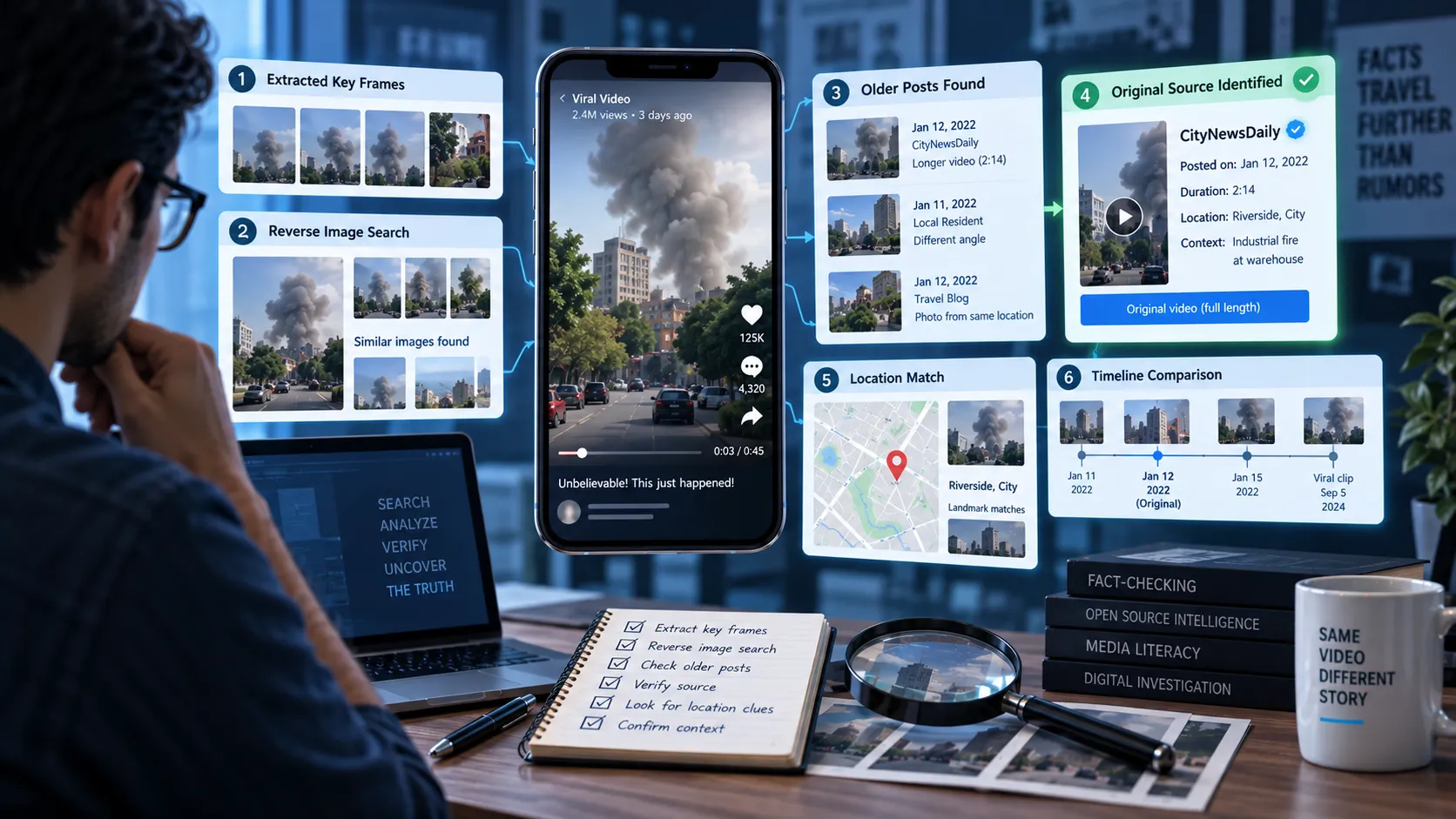
One of the most effective ways to verify viral footage is to find where it originally appeared.
Search for distinctive phrases from the caption or spoken audio.
You can also search for descriptions of what is visible in the video.
For example, if a TikTok shows a large fire, search for combinations such as:
"large fire" + city + date
or
"warehouse fire" + location
You may discover:
- An older upload of the same footage
- The original creator
- A longer version of the video
- News coverage of the event
- A different description of what happened
Finding the earliest available version can reveal whether the TikTok caption is accurate.
Step 4: Check When the Video Was Actually Recorded
The upload date of a TikTok does not necessarily tell you when the footage was recorded.
This is one of the biggest problems with viral videos.
Old footage can be reposted during a new event and presented as breaking news.
Always ask:
When was this footage recorded?
Look for:
- Original upload dates
- News reports from the claimed date
- Weather conditions
- Clothing
- Vehicles
- Buildings
- Signs and advertisements
- Events visible in the background
Even small details can help establish when a video was recorded.
Step 5: Check the Location
A video may be correctly dated but incorrectly located.
Look closely at the surroundings.
Useful clues can include:
- Street signs
- Store names
- Road markings
- Buildings
- Languages
- License plates
- Public transportation
- Landmarks
- Landscape
- Weather
Search for distinctive landmarks or signs if necessary.
If a TikTok claims to show an event in one city but the visible architecture or signage points somewhere else, the claim deserves further investigation.
Step 6: Search for Independent Coverage
Do not verify a TikTok only by finding another social media post that repeats the same story.
Look for independent sources.
Depending on the claim, useful sources can include:
- Government agencies
- Police or emergency services
- Universities
- Scientific organizations
- Official company statements
- Reputable news organizations
- Original research
- Public records
If a TikTok claims that a major event happened, there may be independent reporting or official information confirming it.
If no credible source can be found, that does not automatically prove the TikTok is false. But it is a reason to be cautious, especially when the claim is extraordinary.
Step 7: Check the Context
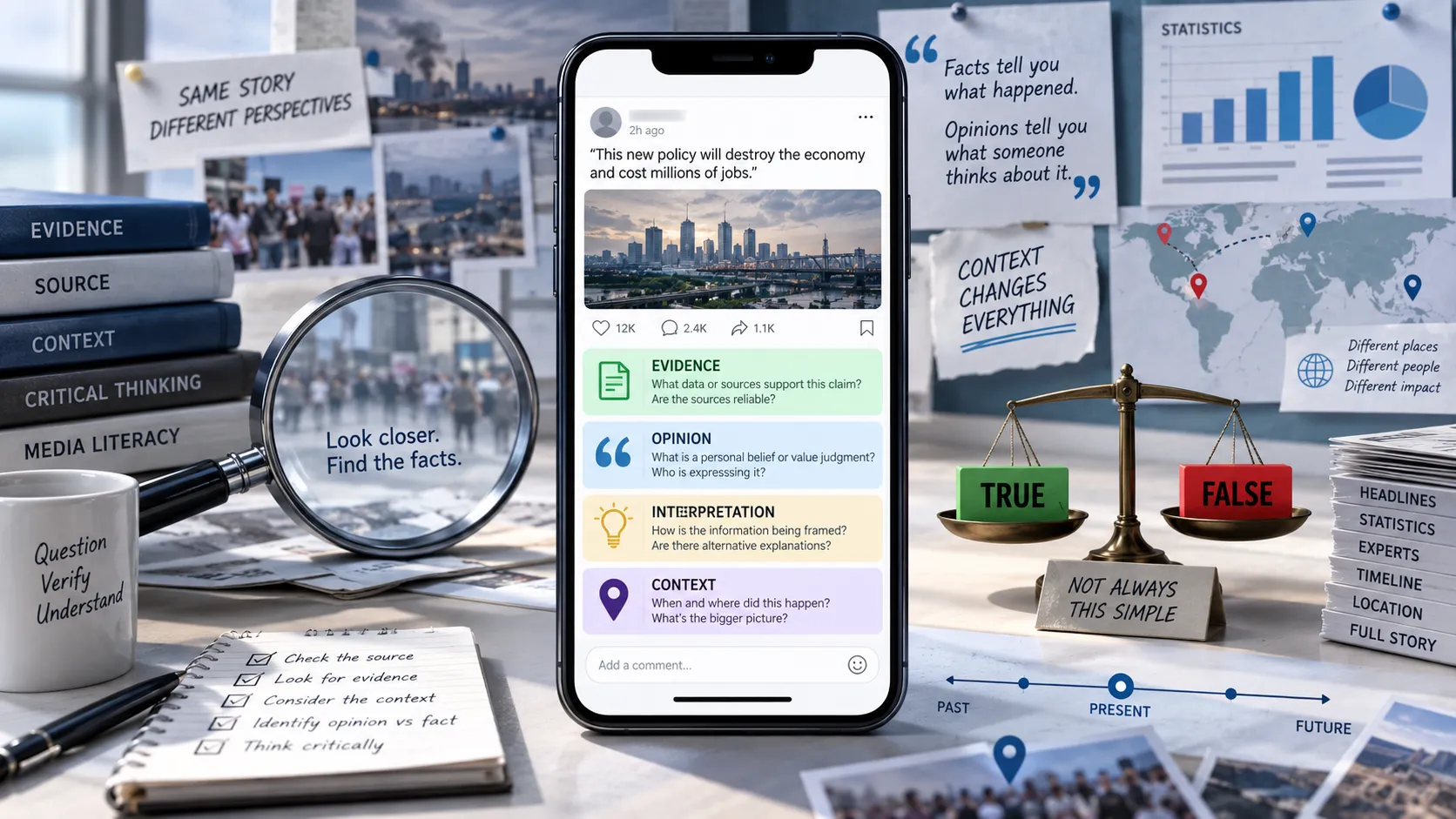
A real video can become misleading when important context is removed.
Consider a video showing someone making a controversial statement.
A short clip might make it appear that the person said something offensive or unusual.
But the full interview could reveal that:
- The sentence was edited
- The person was quoting someone else
- The statement was sarcastic
- The speaker immediately corrected themselves
- The clip came from a completely different discussion
Whenever a short clip makes a strong accusation, try to find the full recording.
Short Clips Can Change Meaning
TikTok's format encourages short, highly edited videos.
That is useful for entertainment but can be problematic when complicated events are reduced to a few seconds.
Before reaching a conclusion, ask:
What happened immediately before and after this clip?
Step 8: Inspect the Video for Editing
You do not need advanced forensic software to notice some forms of manipulation.
Watch carefully for:
- Abrupt cuts
- Audio that does not match the speaker
- Objects appearing or disappearing
- Strange reflections
- Unnatural shadows
- Distorted faces
- Inconsistent lighting
- Repeated frames
- Sudden changes in image quality
- Audio that sounds disconnected from the environment
These signs do not automatically prove that a video is fake.
TikTok itself uses extensive editing, filters, effects, and compression.
The goal is simply to identify reasons to investigate further.
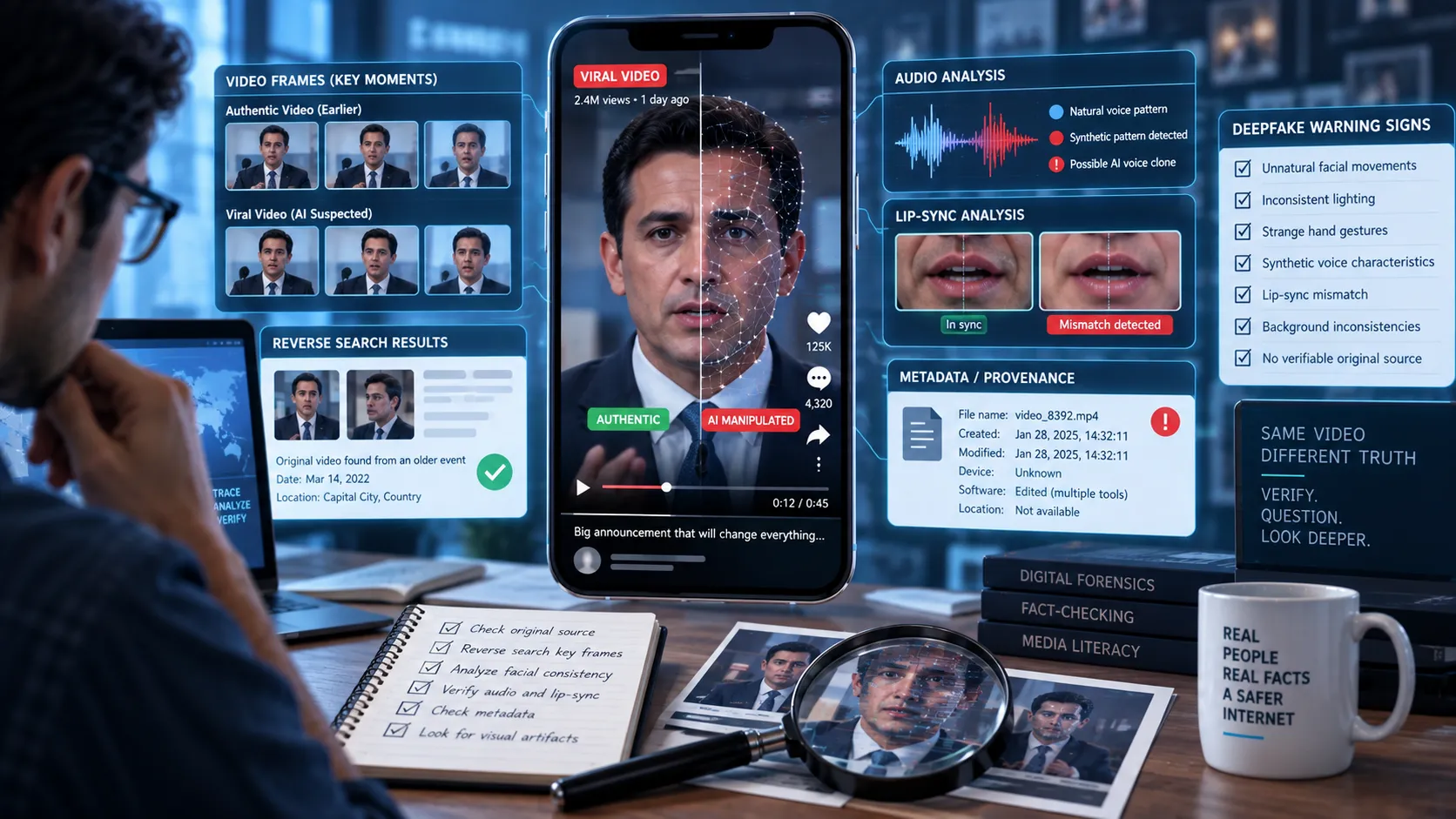
Step 9: Be Careful With AI-Generated Videos
AI-generated video and audio are becoming increasingly convincing.
Some fake videos can show people appearing to say or do things that never happened.
Potential warning signs include:
- Unnatural facial movements
- Inconsistent teeth or hands
- Strange lip synchronization
- Unusual blinking
- Distorted background objects
- Inconsistent reflections
- Robotic or unnatural speech
- Sudden changes in facial features
- Details that change between frames
However, visual clues alone are not reliable enough to determine whether something is AI-generated.
AI detection tools can also make mistakes.
The stronger approach is to combine media analysis with source verification.
Ask:
Where did this video come from, and can independent evidence confirm what it claims to show?
Step 10: Verify the Audio Separately
Sometimes the video is real but the audio is not.
For example, a creator may add narration that changes the meaning of genuine footage.
Check whether:
- The audio appears to belong to the original recording
- Someone is speaking over the original video
- The speaker's lips match the audio
- The sound changes abruptly
- Background sounds disappear unexpectedly
- The same audio appears on unrelated videos
If the audio contains the main factual claim, verify the claim independently rather than trusting the narration.
Step 11: Look at the Caption Carefully
The caption may make a stronger claim than the video itself.
For example, the footage might simply show a crowd running.
The caption might say:
"People fleeing after a terrorist attack."
Those are very different claims.
Ask whether the footage actually establishes what the caption says happened.
Also be careful with captions containing phrases such as:
- "This just happened"
- "Breaking"
- "Unbelievable"
- "They don't want you to see this"
- "100% proof"
- "The truth they won't tell you"
- "Share before it gets deleted"
These phrases are designed to create urgency.
Urgency is not evidence.
Step 12: Check the Comments, But Don't Treat Them as Proof
TikTok comments can sometimes help you discover useful information.
Users may identify:
- The original creator
- The location
- The actual date
- An older version of the video
- A different source
But comments are not reliable evidence by themselves.
A comment saying "This happened yesterday" does not prove that it happened yesterday.
Use comments as clues that can lead you to better sources.
Step 13: Search for the Video or Key Frames
If a TikTok contains a distinctive image, screenshot, or frame, try searching for that image online.
This can sometimes reveal:
- Earlier versions of the image
- Different captions
- Original news stories
- Stock photographs
- Older social media posts
- Images from unrelated events
The same image can be reused many times with completely different stories.
If the original image appeared years earlier, the TikTok's current claim may be misleading.
Step 14: Compare the Claim With Reliable Sources
Once you have gathered information, compare the TikTok's claim with the evidence.
You may find that:
The claim is supported
Multiple credible sources confirm the event and the video appears to match the original footage.
The claim is false
Reliable evidence directly contradicts what the TikTok says.
The claim is misleading
The footage is real, but the date, location, caption, or interpretation is wrong.
The claim is unverified
There is not enough reliable evidence to determine what happened.
Do not feel pressured to choose "true" or "fake" when the evidence does not justify either conclusion.
A Quick TikTok Verification Checklist
Before believing or sharing a suspicious TikTok, ask:
1. What exactly is being claimed?
Can I state the claim in one sentence?
2. Who posted it?
Is this the original source?
3. When was it recorded?
Is the footage actually from the claimed date?
4. Where was it recorded?
Can I verify the location?
5. Where did the footage originally come from?
Can I find an earlier or longer version?
6. Is the video edited?
Could cuts or changes have removed important context?
7. Is the audio original?
Could narration or dubbed audio be changing the meaning?
8. Could AI or digital manipulation be involved?
Are there reasons to investigate the media further?
9. Do independent sources confirm the claim?
Can credible sources support what the video says?
10. Am I reacting to the video or evaluating the evidence?
Strong emotions can make verification more difficult.
The 60-Second TikTok Verification Method
For everyday videos, you can use a simple process:
Pause → Identify → Search → Compare → Decide
Pause
Do not immediately share a surprising video.
Identify
Determine the exact factual claim.
Search
Search the claim, location, date, and distinctive details.
Compare
Look for independent and reliable sources.
Decide
Classify the claim as supported, false, misleading, or unverified.
This process takes very little time and can prevent you from accidentally spreading misinformation.
What If a Video Has Millions of Views?
Popularity is not evidence.
A TikTok can go viral because it is:
- Emotional
- Shocking
- Funny
- Controversial
- Easy to understand
- Visually dramatic
- Highly shareable
None of these characteristics establish whether the underlying claim is true.
Millions of people can believe something that is false.
Likewise, a video with very few views can contain accurate information.
Always separate popularity from credibility.
What If Other Accounts Are Posting the Same Video?
Multiple copies of the same video do not necessarily mean multiple independent confirmations.
Imagine one misleading TikTok gets reposted by 500 accounts.
You may then see 500 posts appearing to confirm the story.
But there is still only one original source.
This is sometimes called false amplification.
When checking a viral video, try to trace the information back to independent evidence rather than counting how many accounts repeat it.
What If You Cannot Verify the Video?
If you cannot establish whether a video is real, do not automatically label it fake.
The correct conclusion may simply be:
"I can't verify this yet."
This is especially important for breaking news.
Information can take time to emerge, and reliable sources may not yet have enough evidence to confirm what happened.
Waiting for better evidence is better than confidently sharing something that turns out to be false.
How Somiq Can Help
Checking a viral video manually can involve several steps: identifying the claim, finding sources, checking context, comparing evidence, and determining what the available information actually supports.
Somiq is designed to make this process easier for short-form content.
Instead of simply asking whether a video "looks fake," the goal is to investigate the factual claims being made and evaluate the evidence behind them.
That distinction matters because a completely genuine video can still contain a false claim.
Final Takeaway
A TikTok video being real does not automatically mean the story attached to it is real.
The footage may be genuine while the date is wrong. The location may be incorrect. The caption may exaggerate what happened. The audio may have been added later. Or a short clip may remove the context needed to understand the event.
The safest approach is simple:
Pause before sharing. Identify the claim. Find the original source. Check the date and location. Look for independent evidence. Verify the context.
And when the evidence is not enough, it is okay to leave the claim unverified.
In a world where almost anyone can create and distribute convincing video, knowing how to check what you see is one of the most useful digital skills you can develop.