How to Find the Original Source of a Viral Video
Learn how to find the original source of a viral video using reverse video searches, keyframes, timestamps, captions, metadata, and reliable source verification techniques. Discover how to separate the original upload from reposts, edited clips, and misleading copies.
How to Find the Original Source of a Viral Video
A viral video can spread across TikTok, Instagram, YouTube, X, Facebook, and other platforms within hours. By the time you see it, the original creator may be difficult to identify.
The same video might have been reposted dozens or even thousands of times, cropped, edited, translated, given a new caption, or presented as footage from a completely different event.
So how do you find the original source of a viral video?
The answer is not simply finding the oldest-looking post. You need to trace the video's history, compare uploads, identify the earliest credible source, and verify whether the original context matches the claim being made about it.
This guide explains a practical process you can use to trace viral videos back to their likely original source.
Why Finding the Original Source Matters
Finding the original upload can reveal information that disappears from later reposts.
The original source may tell you:
- Who recorded the video
- When and where it was recorded
- What was happening before and after the viral clip
- Whether the video was edited
- Whether the current caption is accurate
- Whether the footage has been reused from an older event
- Whether the person sharing it is actually the original creator
For example, a video may be shared in 2026 with a caption claiming it shows a recent event. A reverse search could reveal that the same footage was uploaded years earlier.
That distinction can completely change the meaning of the claim.
The Difference Between the Original Source and the Earliest Upload
These terms are often treated as the same thing, but they are not.
The original source is the person, organization, camera, or publication that actually created or first documented the footage.
The earliest upload you can find is simply the oldest publicly accessible copy you've located.
An account could upload someone else's video before the actual creator posts it publicly. A news organization might publish footage obtained directly from a witness. A social media account might be the first place you discover the video even though the recording existed elsewhere first.
Therefore, don't automatically conclude:
"This is the original because it has the oldest timestamp."
Instead, treat the earliest upload as a lead that needs verification.
Step 1: Save the Viral Video
Before searching, save as much information as possible.
Record:
- The URL of the post
- Account username
- Platform
- Publication date and time
- Caption
- Hashtags
- On-screen text
- Watermarks
- Audio or spoken phrases
- Location mentioned in the post
- Names of people or organizations
- Any unusual visual details
If possible, download the video or take screenshots of important frames.
This information can become useful when searching across different platforms.
Step 2: Look for Watermarks and Creator Names
Start with the easiest clues.
Look carefully at the video for:
- TikTok usernames
- Instagram handles
- YouTube channel names
- Logos
- News organization branding
- Creator watermarks
- Embedded dates
- Location names
- Text overlays
A repost may crop out a watermark, but another version of the same video may still contain it.
Search the username or organization separately rather than assuming the account that posted the viral version created the footage.
Step 3: Search for Unique Phrases
If the video contains spoken words, subtitles, or text on screen, search for distinctive phrases.
For example, if a video contains the phrase:
"This happened outside the station at 7:30 this morning"
search for the exact phrase or a shorter distinctive portion.
Try several variations:
- Exact phrase in quotation marks
- Phrase without punctuation
- Important keywords
- Translation of the phrase
- The phrase combined with the suspected location
Unique wording can lead you to older posts, news reports, transcripts, or discussions that reference the original footage.
Step 4: Take Screenshots of Key Frames
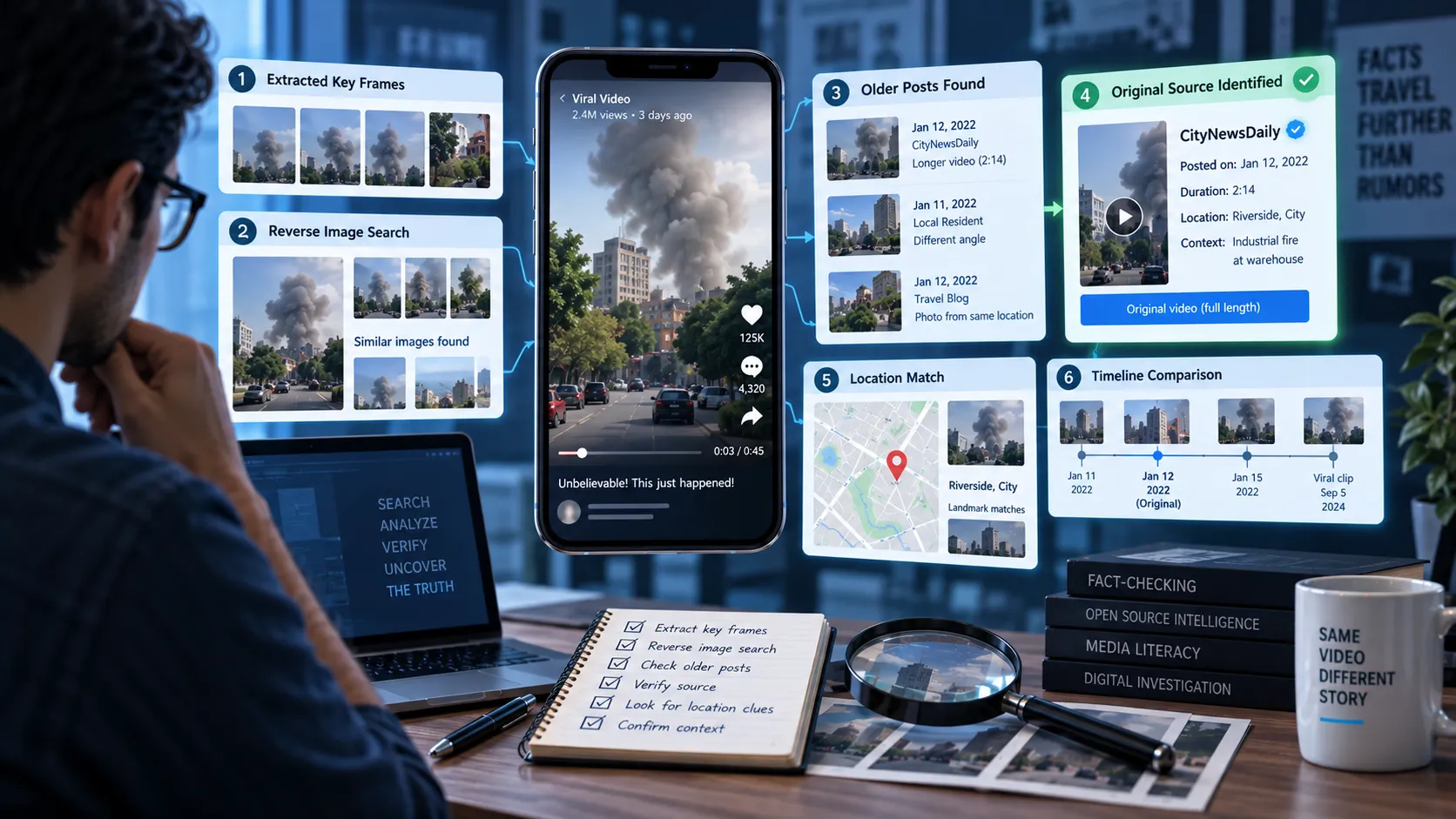
One of the most effective techniques for tracing a video is to search using individual frames.
Pause the video at visually distinctive moments and capture screenshots.
Good frames include:
- Faces
- Buildings
- Signs
- Vehicles
- Landscapes
- Clothing
- Logos
- Unique objects
- Visible text
- Unusual events
Avoid frames dominated by subtitles, reaction stickers, or social media interface elements.
A clean frame gives image-search systems more useful visual information.
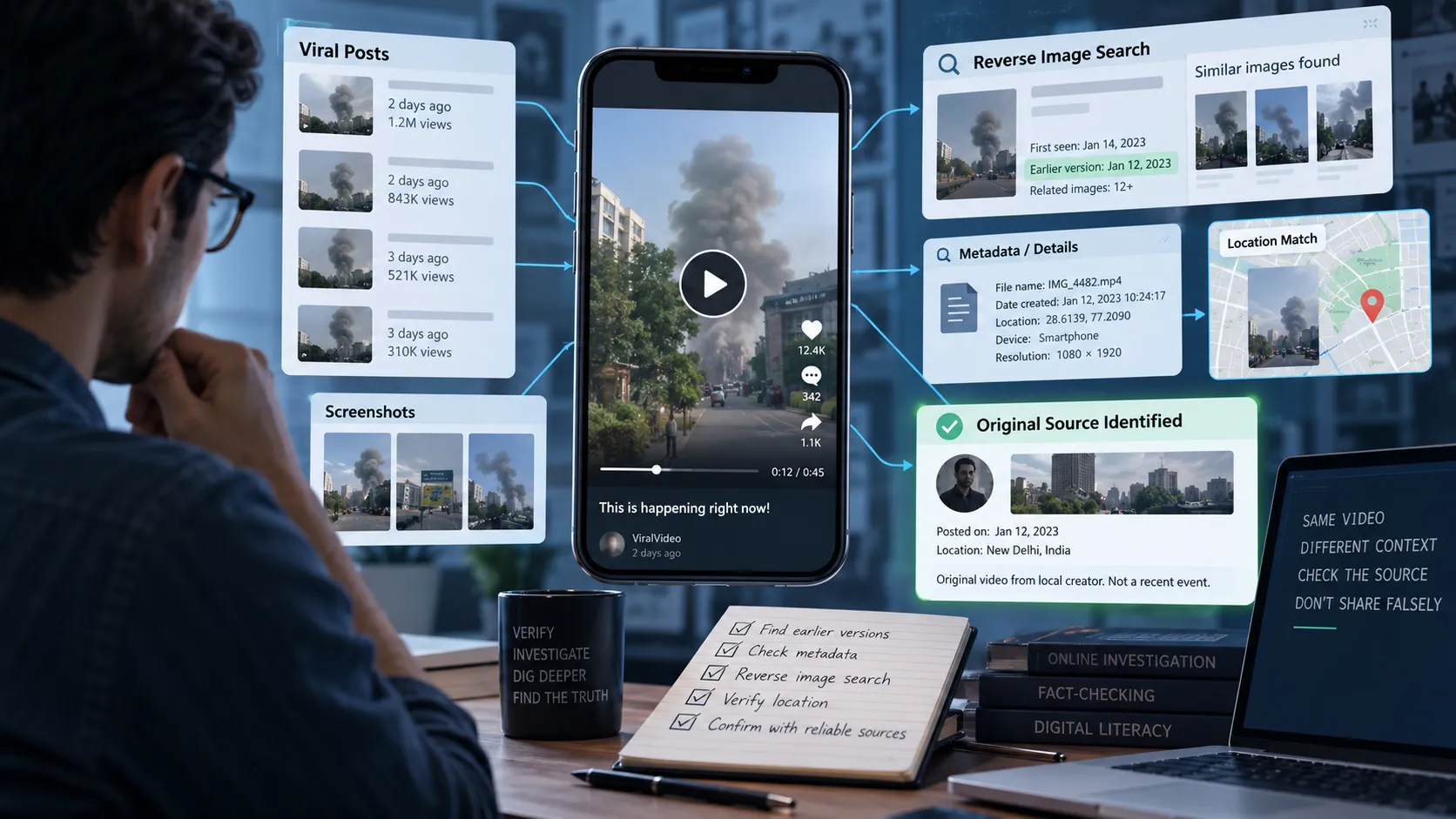
Step 5: Perform a Reverse Image Search
Upload your screenshots to a reverse image search service.
Instead of searching the entire video, you're searching individual frames from the video.
The results may reveal:
- Older versions of the video
- News articles
- Original social media posts
- Blog posts
- Screenshots from earlier uploads
- Fact-checking articles
- Other platforms where the footage appeared
Try multiple frames because one frame may produce poor results while another can reveal the source immediately.
Step 6: Search Across Multiple Platforms
Don't limit your search to the platform where you discovered the video.
A video found on Instagram may have originally appeared on:
- TikTok
- YouTube
- X
- A news website
- A personal blog
- A creator's website
Search using combinations of:
Creator name + distinctive phrase
Event + location + video description
Visible text + suspected date
Unique visual detail + location
Cross-platform searching is especially important because reposts often remove the original account's information.
Step 7: Compare Upload Dates
Once you find multiple copies, create a simple timeline.
For example:
| Account | Platform | Upload Date | Video Version |
|---|---|---|---|
| Account A | TikTok | March 4 | Full clip |
| Account B | March 5 | Cropped | |
| Account C | X | March 6 | Captioned |
| Account D | YouTube | March 8 | Compilation |
The March 4 upload may be the earliest publicly available copy, but you still need to determine whether Account A actually created the footage.
Look for evidence connecting the uploader to the recording.
Step 8: Check for Longer Versions
A short viral clip may be extracted from a much longer video.
Search for:
- The same scene before the viral moment
- The same scene after it
- Longer YouTube uploads
- Original livestreams
- News broadcasts
- Full interviews
- Creator archives
A longer version can provide crucial context.
For example, a 15-second clip might make someone's actions look suspicious. A five-minute version could reveal what happened immediately beforehand and completely change the interpretation.
Step 9: Search for the Event, Not Just the Video
Sometimes the video itself is difficult to find, but the event is easy to identify.
Use clues from the footage.
Suppose you see:
- A specific building
- A police vehicle
- A road sign
- A sports stadium
- A business name
- A distinctive landmark
Search those details alongside the suspected event.
For example:
"fire outside [building name]"
"[city] protest March 2026 video"
"[event name] eyewitness video"
This can lead to local news reports or eyewitness accounts that identify where the footage originated.
Step 10: Check Local and First-Hand Sources
For breaking events, local sources can be more useful than large national accounts.
Look for:
- Local journalists
- Local news organizations
- Eyewitnesses
- Government agencies
- Emergency services
- Event organizers
- People located at the scene
A local account may have posted the footage before it was picked up by larger accounts.
However, remember that being physically close to an event doesn't automatically make someone a reliable source. Their claim still needs to be evaluated.
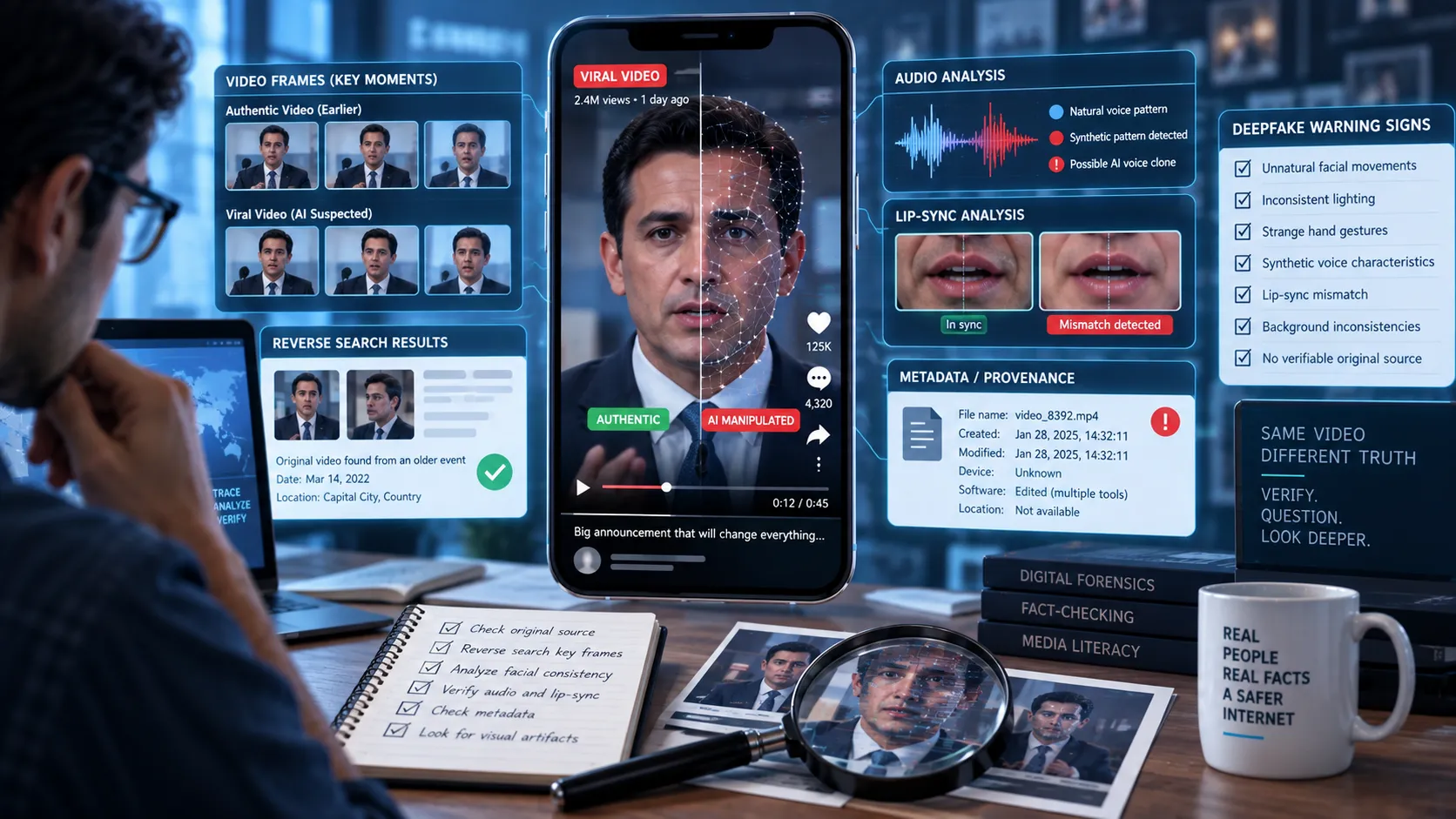
Step 11: Look for Signs That the Video Has Been Edited
The version you found may not be the original.
Look for:
- Sudden cuts
- Missing sections
- Cropped edges
- Added subtitles
- Changed audio
- Speed changes
- Mirrored footage
- Overlaid graphics
- Reaction clips
- AI-generated narration
- Repeated frames
Compare different versions side by side.
If one version contains additional footage that another version doesn't, the longer version may provide better evidence about the original context.
Step 12: Check Metadata When Available
Video metadata can sometimes contain useful information, such as:
- Creation date
- Device information
- Software used
- File modification information
- Location data
However, social media platforms commonly remove or modify metadata when processing uploaded videos.
Therefore, metadata should be treated as supporting evidence, not definitive proof of origin.
A metadata timestamp alone doesn't prove who recorded the footage.
Step 13: Use the Internet Archive When Necessary
Pages and posts can disappear.
If you find an old source that has been deleted or changed, archived versions of webpages may help establish what was previously published.
This can be particularly useful when investigating:
- Deleted social media posts
- Changed article timestamps
- Edited captions
- Removed videos
- Older versions of webpages
Archived evidence should still be evaluated carefully because an archived copy proves that a page existed in a particular state, not necessarily that every claim on the page was true.
Step 14: Watch Out for Recycled Footage
One of the most common forms of video misinformation is old footage presented as new.
The video itself may be completely authentic while the caption is false.
For example:
Actual: A video recorded during a 2022 flood.
Viral claim: The same video shows flooding happening today.
In this situation, the footage isn't necessarily fake. The context is misleading.
This is why identifying the original source and date is so important.
Step 15: Don't Trust the First Search Result
Search engines rank content for many reasons. The first result isn't necessarily the original source.
A highly shared repost may appear above an older original upload.
Instead of asking:
"Which result is first?"
ask:
"Which source has the strongest evidence of being closest to the original recording?"
Consider:
- Upload date
- Creator identity
- Whether the account was present at the event
- Availability of a longer version
- Original context
- Independent corroboration
- Consistency with other evidence
A Simple Viral Video Verification Checklist
Before concluding that you've found the original source, check the following:
- Did I save the original viral post?
- Did I identify all visible usernames and watermarks?
- Did I search distinctive text or spoken phrases?
- Did I capture multiple useful video frames?
- Did I perform reverse image searches?
- Did I search multiple platforms?
- Did I compare upload dates?
- Did I look for a longer version?
- Did I investigate the event and location separately?
- Did I search local or first-hand sources?
- Did I check whether the footage was edited?
- Did I investigate whether the footage is old?
- Did I distinguish the original creator from the earliest repost?
- Did I find independent evidence supporting the source?
If several of these questions remain unanswered, you may not have enough evidence to confidently identify the original source.
How Somiq Can Help You Verify Viral Videos
Tracing a viral video manually can take time, especially when the footage has been reposted across multiple platforms.
Somiq is designed to help users investigate claims and misinformation in short-form content by breaking down what a video is claiming and helping users evaluate the evidence behind it.
When you encounter a viral video, don't simply ask:
"Is this video real?"
Ask several separate questions:
- Where did this video come from?
- When was it originally recorded?
- Who published it first?
- Has it been edited?
- Is the current caption accurate?
- Is the video being shown in its original context?
- What evidence supports the claim?
That approach produces a much stronger verification process than relying on whether a video "looks real."
Final Takeaway
Finding the original source of a viral video is a process of digital investigation.
Start with the video itself, extract every useful clue, search distinctive frames and phrases, compare versions across platforms, investigate dates and locations, and distinguish the earliest upload from the actual creator.
Most importantly, remember that authentic footage can still be used to spread misinformation.
A real video with a false date, location, caption, or context can be just as misleading as an entirely fabricated video.
Before sharing a viral clip, take a few minutes to trace where it came from. That small step can prevent you from amplifying misinformation.